The full Waldo demo in 2 minutes
Discover in a few minutes how Waldo makes your office truly flexible, right inside Microsoft Teams.

Comparison
Looking for a Microsoft Places alternative, or simply comparing the two? Here is a fair, feature-by-feature look at licensing, pricing, desk and parking booking, APIs and Microsoft 365 integration.
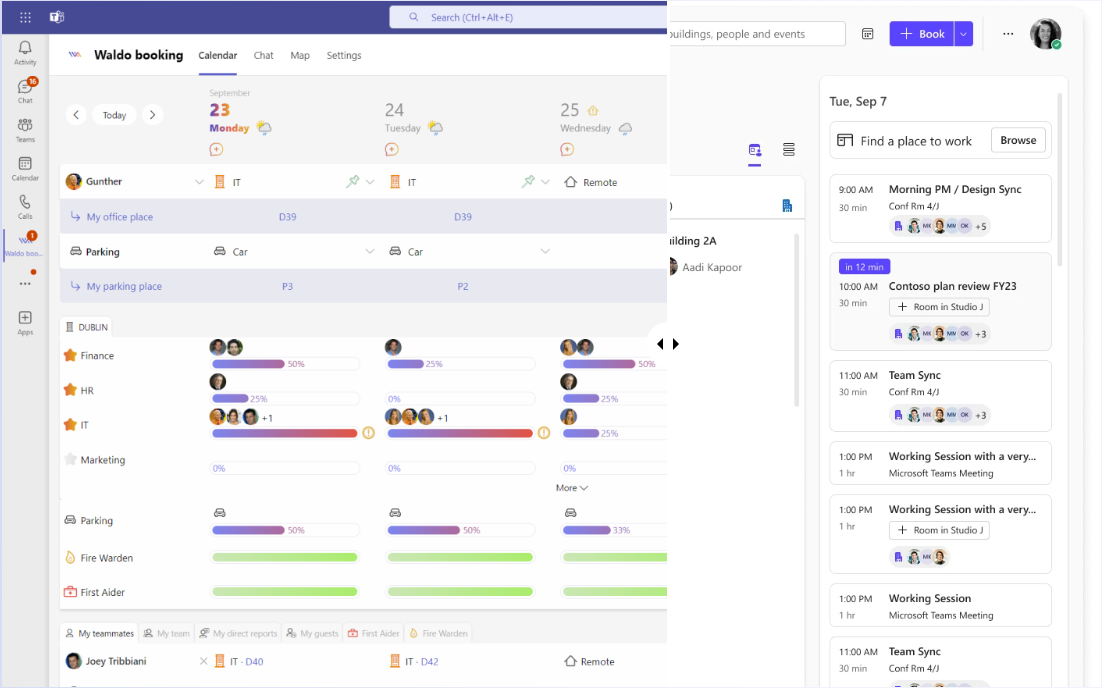
Microsoft Places and Waldo both help hybrid teams decide where to work and book a desk without leaving Microsoft 365. The difference is in the details:
Our take: if you already pay for Teams Premium and only need simple desk booking, Places is worth a try. If you need parking, fair rules for busy offices, or a lower cost, Waldo is the stronger Microsoft Places alternative.
Microsoft Places is an application developed by Microsoft to improve the hybrid work experience. It is built into the Microsoft ecosystem, including Outlook and Microsoft Teams, and helps people manage both the physical office and remote work.
With Microsoft Places, users can:
Waldo, developed by MOFFI, is a pure software application designed for Microsoft Teams from day one, and synchronised with Outlook. It lets employees share where they work (at the office, remote or absent) and, with the complete version, book a specific desk, a meeting room or a parking space on the interactive floor plan.
Waldo is also a bot you can chat with in Teams. It learns your habits and books your desk and parking space ahead of time (predictive booking), then asks you to check in. Waldo runs on Teams desktop, web, iOS and Android. Want to see it? Take the interactive tour.
| Topic | Microsoft Places | Waldo |
|---|---|---|
| Microsoft Copilot integration | ✓ | ✓ |
| Priority, fair-play booking and WFH policies | ✗ First come, first served | ✓ |
| Map design service | ✗ Maps, but no design service | ✓ Included in the subscription |
| Parking booking | ✗ | ✓ Cars, electric vehicles, two-wheelers, reduced mobility |
| Licence needed | Microsoft Teams Premium | None beyond Microsoft Teams |
| Free version | Basic features only | ✓ Free forever: share where you work, see who's coming |
Microsoft Places requires a Microsoft Teams Premium licence for desk booking, on top of your Microsoft 365 subscription. Waldo does not: start for free with presence sharing, then upgrade to the complete version (desk, parking and meeting room booking) for 30 € per user per year.
If you already have Microsoft Teams Premium, Microsoft Places is worth a try. If not, Waldo is usually the more economical choice. And Waldo includes the design of your office maps by our designers, which Microsoft Places does not.
| Licensing and cost | Microsoft Places | Waldo |
|---|---|---|
| Microsoft Teams Premium licence | Mandatory | Not needed |
| Free version | Basic features only (desk booking needs Teams Premium) | ✓ Free forever, no user limit (presence declaration; desk booking in the complete version) |
| Trial period | ✓ (with Teams Premium) | ✓ |
| Paid version | Teams Premium licence per user (see Microsoft's current price list) | 30 € per user per year (2.50 € per user per month) |
| Map design service | ✗ | ✓ Included, unlimited |
See every plan on our pricing page.
Microsoft Places offers a simple, efficient way to book a desk, plus meeting-centric features that Waldo does not have. Waldo goes further on everything that keeps a shared office fair and organised: predictive booking, fair-play rules, waiting lists, remote work policies and guest bookings.
| Desk booking | Microsoft Places | Waldo |
|---|---|---|
| Location plans (share your office / home schedule) | ✓ | ✓ |
| In-person meeting invite | ✓ | ✗ |
| Nearby location (colleagues close by) | ✓ | ✗ |
| Predictive booking with AI (learns habits to anticipate your location) | ✗ | ✓ |
| Fair-play desk booking | ✗ | ✓ |
| Outlook synchronisation | ✓ | ✓ |
| Priority rules for desks | ✗ | ✓ |
| Waiting list for desks | ✗ | ✓ |
| Location on the map | ✓ | ✓ |
| Meeting room booking | ✓ | ✓ On the floor plan |
| Work-from-home policies | ✗ | ✓ |
| Booking confirmation and check-in | ✗ | ✓ |
| Auto-release of unused desks | ✗ | ✓ |
| Guest booking | ✗ | ✓ |
| Map on any screen (kiosk mode) | ✗ | ✓ |
| Map design service | ✗ | ✓ Unlimited |
Explore all of them on the features page.
Microsoft Places does not manage parking. Waldo does, with waiting lists, fair-play rotation, electric vehicle spaces and guest bookings. It is often the deciding factor for companies with a car park and an employee parking management policy.
| Parking | Microsoft Places | Waldo |
|---|---|---|
| Parking space booking | ✗ | ✓ |
| Waiting list for parking spots | ✗ | ✓ |
| Fair-play rotation of parking spots | ✗ | ✓ |
| EV charging spaces | ✗ | ✓ |
| Guest parking booking | ✗ | ✓ |
Read more about Waldo's parking reservation software.
At the time of our comparison, Microsoft had not communicated about Microsoft Places APIs. Waldo exposes APIs for check-in, parking, desk booking and user status, and offers connectors for badge systems and parking equipment.
| APIs | Microsoft Places | Waldo |
|---|---|---|
| Check-in API | Unknown | ✓ |
| Parking API | ✗ | ✓ |
| Desk booking API | Unknown | ✓ |
| User status API | Unknown | ✓ |
Both tools cover the basics of team coordination: team day messages, office occupancy and who is in today.
| Collaboration | Microsoft Places | Waldo |
|---|---|---|
| Team day messages | ✓ | ✓ |
| Office occupancy | ✓ | ✓ |
| Who's at the office today | ✓ | ✓ |
Waldo helps you keep people safe on site: raise an alert and make sure a minimum number of fire wardens and first aiders are present before the office fills up. Microsoft Places does not offer these features.
| Emergency management | Microsoft Places | Waldo |
|---|---|---|
| Raise an alert | ✗ | ✓ |
| Minimum number of fire wardens and first aiders | ✗ | ✓ |
Both products integrate with Copilot, run in Microsoft Teams and Outlook, and let you manage licences in the Microsoft 365 admin center. Only Waldo is also available as a tab in a Microsoft Teams channel.
| Microsoft 365 | Microsoft Places | Waldo |
|---|---|---|
| Copilot integration | ✓ | ✓ |
| Available in Microsoft Teams | ✓ | ✓ |
| Tab in a Microsoft Teams channel | ✗ | ✓ |
| Available in Outlook | ✓ | ✓ |
| Licence management in the Microsoft 365 admin center | ✓ | ✓ |
Microsoft Places keeps evolving, so check Microsoft's documentation for its latest features. On our side, the fastest way to compare is to try: add Waldo to Microsoft Teams for free or book a demo and we'll walk you through it with your own floor plans.
Not for desk booking: Microsoft Places requires a Microsoft Teams Premium licence on top of Microsoft 365 for its desk booking features. Only basic features are available without it. Check Microsoft's current price list for the licence cost.
Waldo is a Microsoft Places alternative built for Microsoft Teams that does not require Teams Premium. It covers desk and parking booking, priority and fair-play rules, waiting lists, work-from-home policies, check-in and guest bookings, with a free version to start.
No. Microsoft Places does not offer parking booking. Waldo manages parking spaces with waiting lists, fair-play rotation, EV charging spaces and guest parking.
Waldo is free forever in its free version (presence declaration and who's coming), and the complete version, with desk, parking and meeting room booking, costs 30 € per user per year, map design included. Microsoft Places requires a Teams Premium licence per user. See our pricing page for details.
Yes. Both integrate with Microsoft Copilot, Microsoft Teams and Outlook, and both let you manage licences in the Microsoft 365 admin center. Waldo is also available as a tab in a Teams channel.
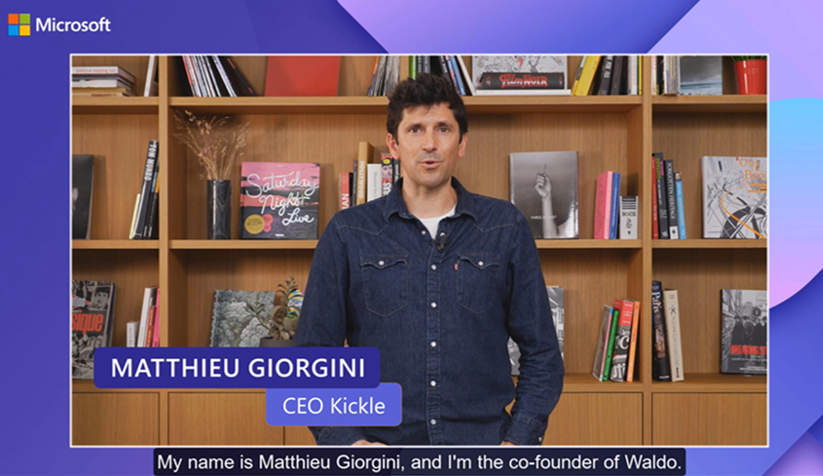
Discover in a few minutes how Waldo makes your office truly flexible, right inside Microsoft Teams.
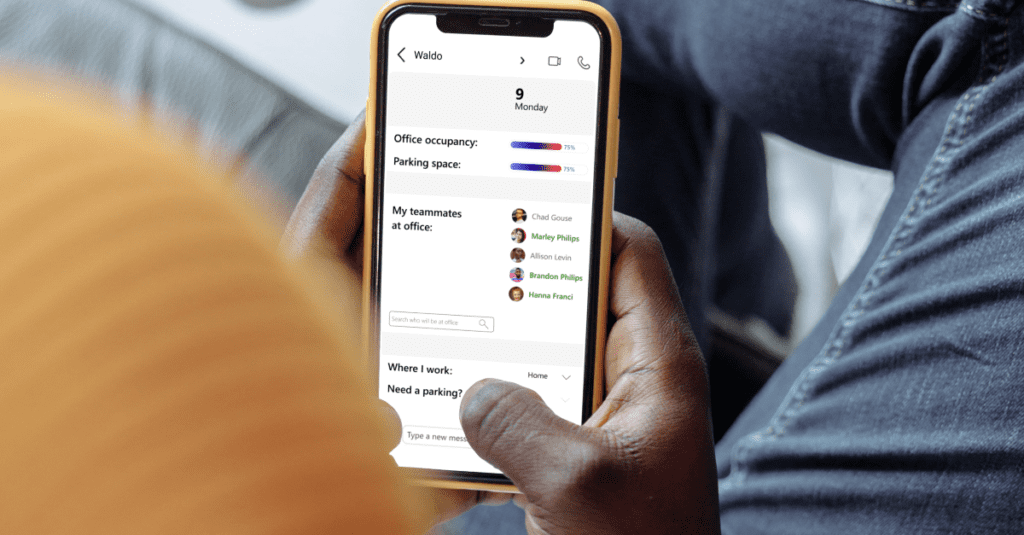
Swap your shared WFH spreadsheet for automatic policies: office day rules and maximum occupation per area, right in Microsoft Teams.

Most companies have nothing in place to manage parking. Here is how Waldo books spaces in Microsoft Teams and finds a backup when yours is taken.
Get a personalised 45-minute demo, or install the free version in Microsoft Teams in two minutes.